Swarmandal
Thirty-two strings spanning three octaves. Pick a raag preset, fine-tune each string, and strum to weave melodic context around your practice.
What is a swarmandal?
A swarmandal (also spelled surmandal — literally "circle of notes") is a flat, plucked harp with anywhere from 21 to 40 strings. Unlike the tanpura's steady drone, the swarmandal is strummed: a single sweep across the strings paints the full scale of a raag in one shimmering gesture. North Indian classical vocalists rest it on their lap and strum it between phrases to colour their singing.
Tuned to the raag, not a fixed scale
A swarmandal has no standard tuning. Each string is set to a note of the specific raag being performed — so the same instrument becomes a different scale for every piece. Strum it and you hear only the notes that belong to that raag, in order, like running a finger up the melody itself.
Below is a walk-through of choosing a raag preset, tuning the 32 strings, and strumming in the app.
The Swarmandal tab
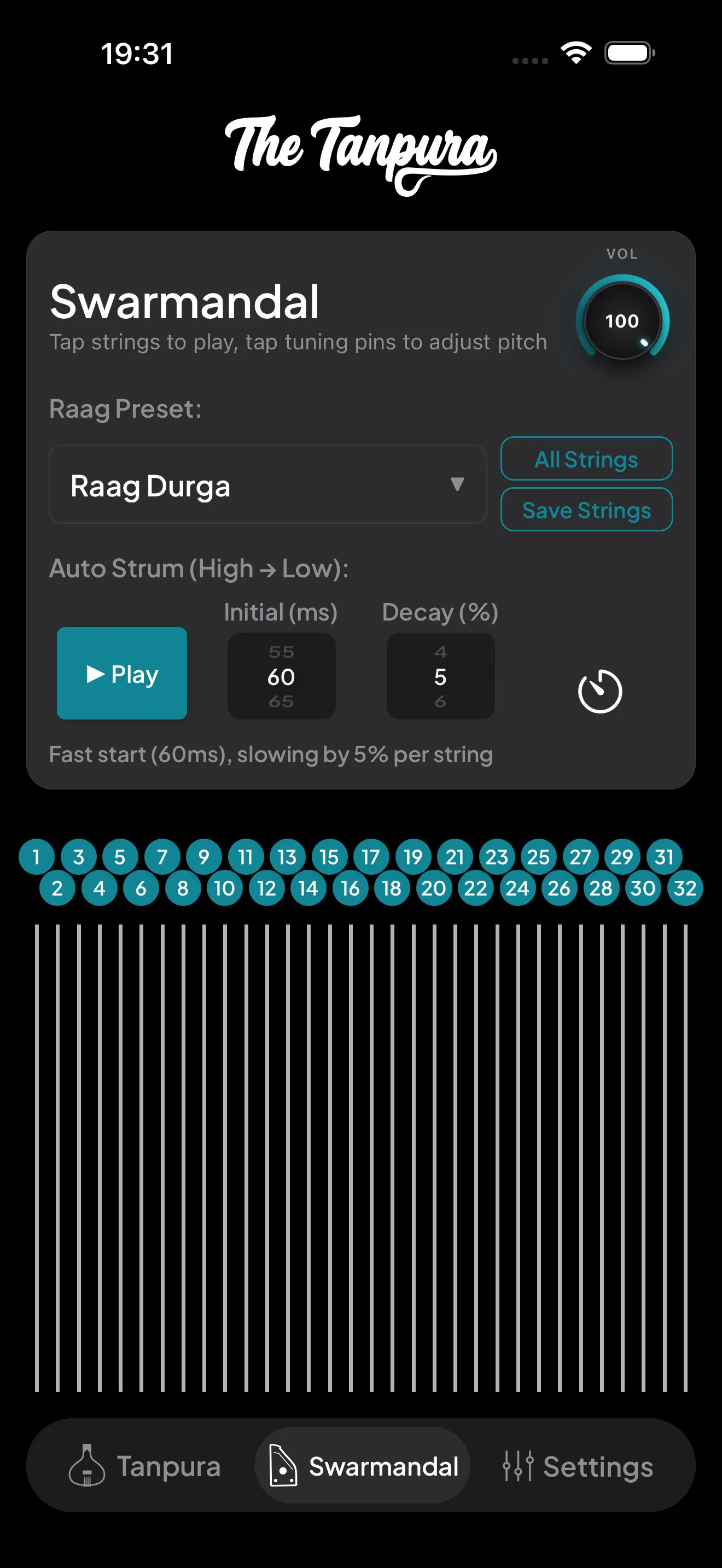
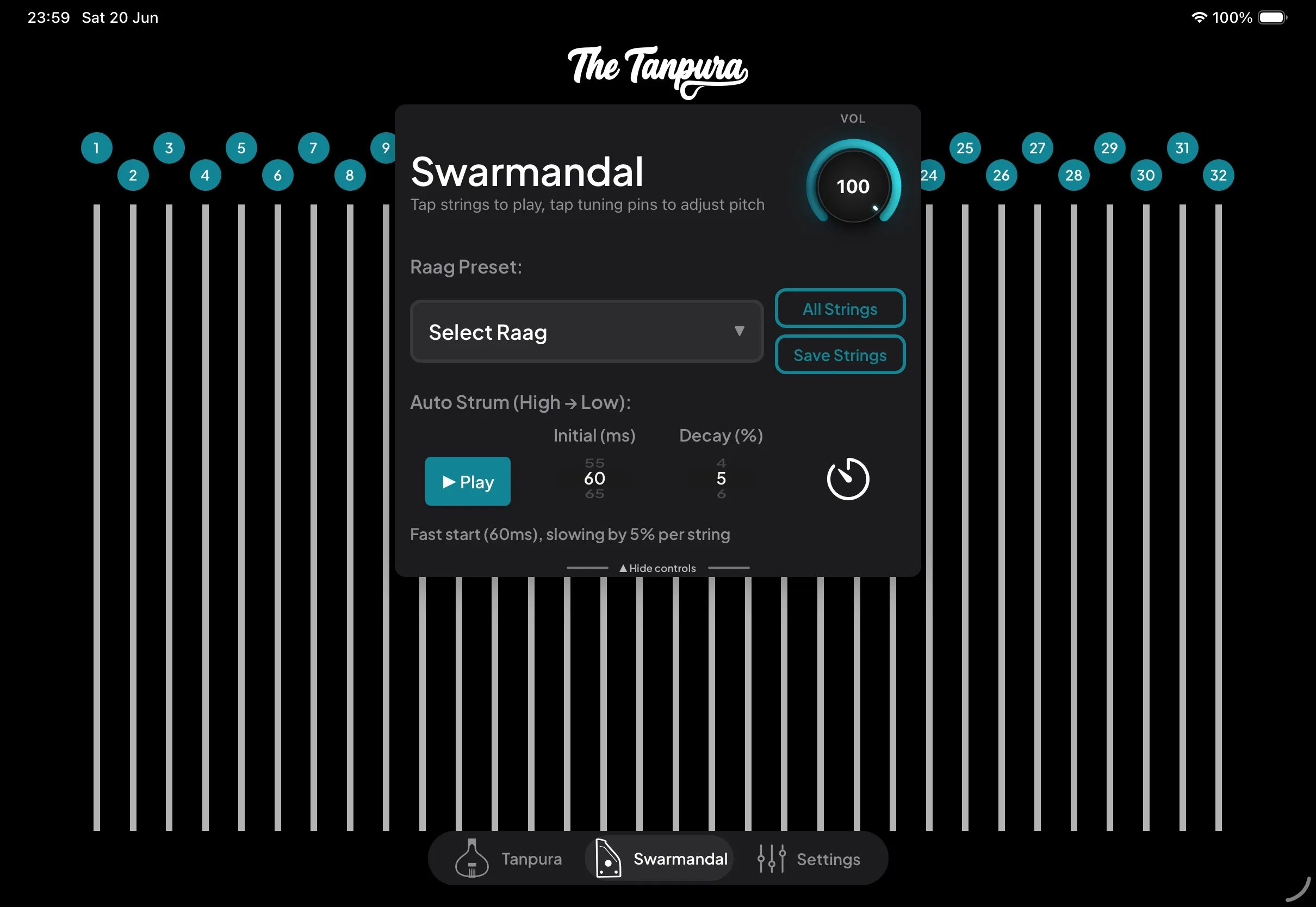
The Swarmandal lays out all 32 strings down the screen, each topped by a numbered tuning pin. Strum your finger across them, or tap a single string to ring it on its own. Tap a pin to adjust that string's pitch.
Everything else lives in the control card at the top:
- The Vol dial sets the swarmandal's overall volume.
- Raag Preset opens the picker to retune all 32 strings to a built-in raag in one tap.
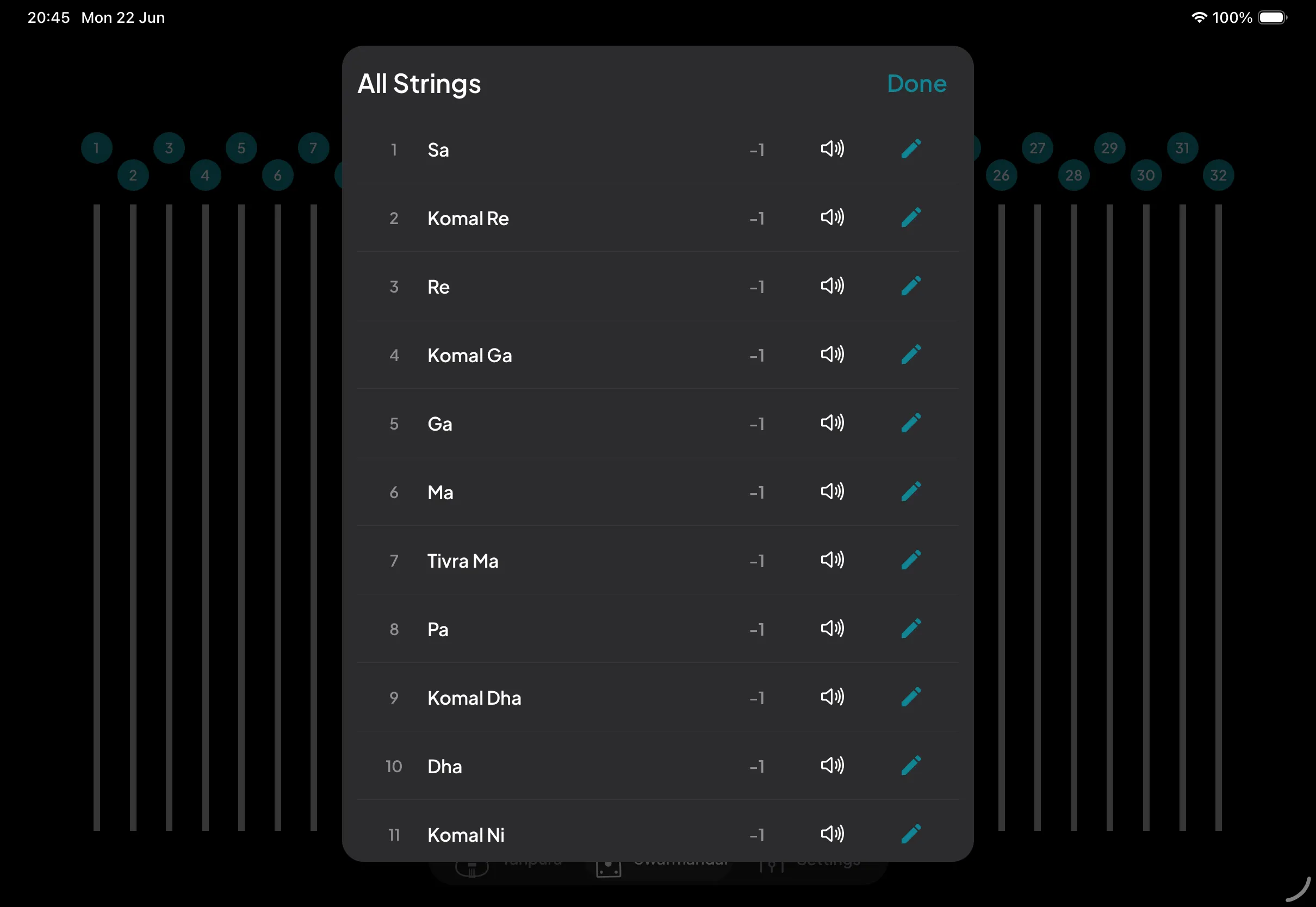
- All Strings opens a list of every string for quick edits; Save Strings stores your current tuning as a custom preset.
- Auto Strum (High → Low) plays a sweep across the strings. Play triggers a single strum, while Initial (ms) and Decay (%) shape its timing — a fast start that gradually slows. The hint line spells out the resulting feel.
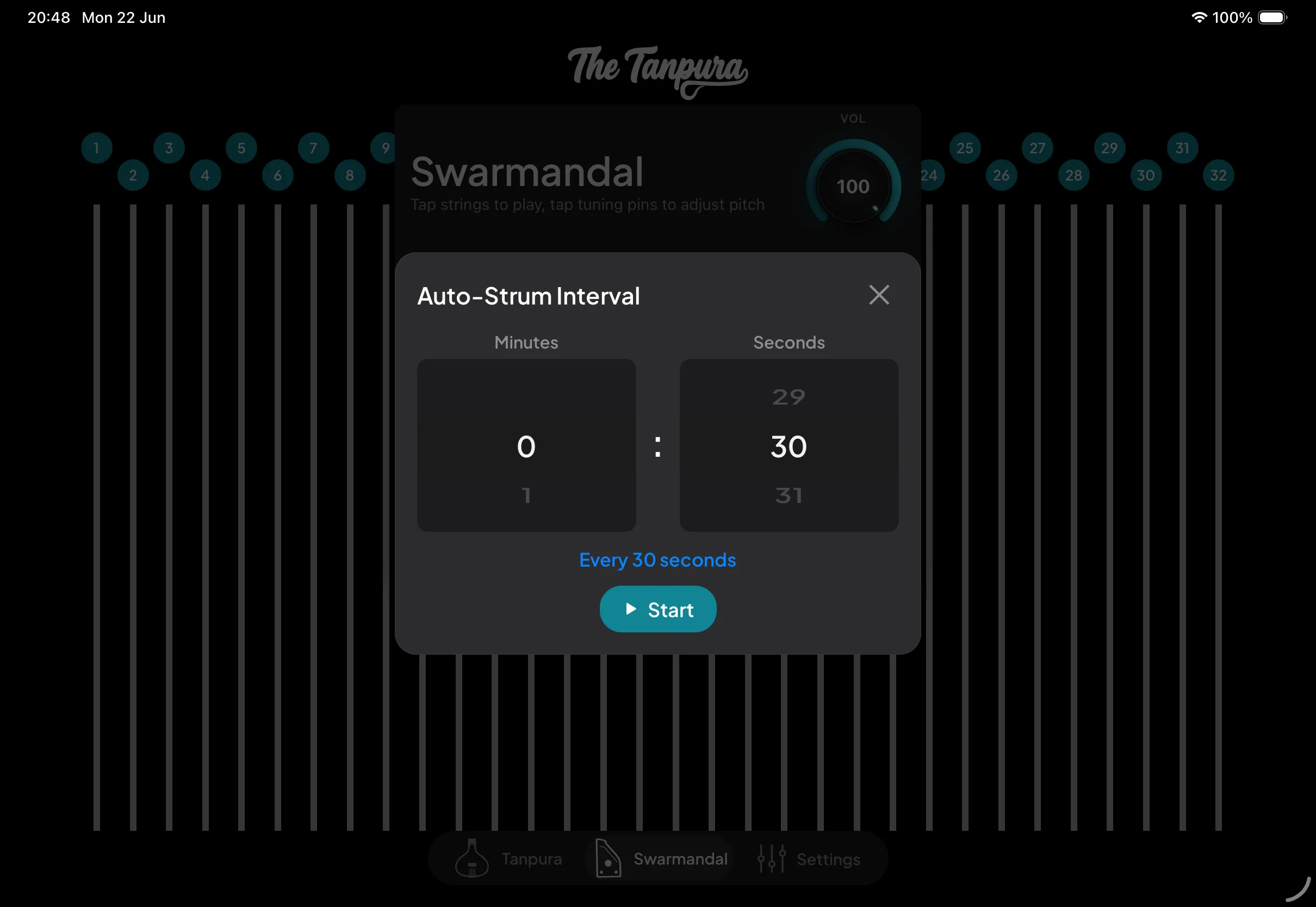
- The timer button beside the strum controls schedules the sweep to repeat automatically at an interval you set.


Tuning pins & the auto-strum timer
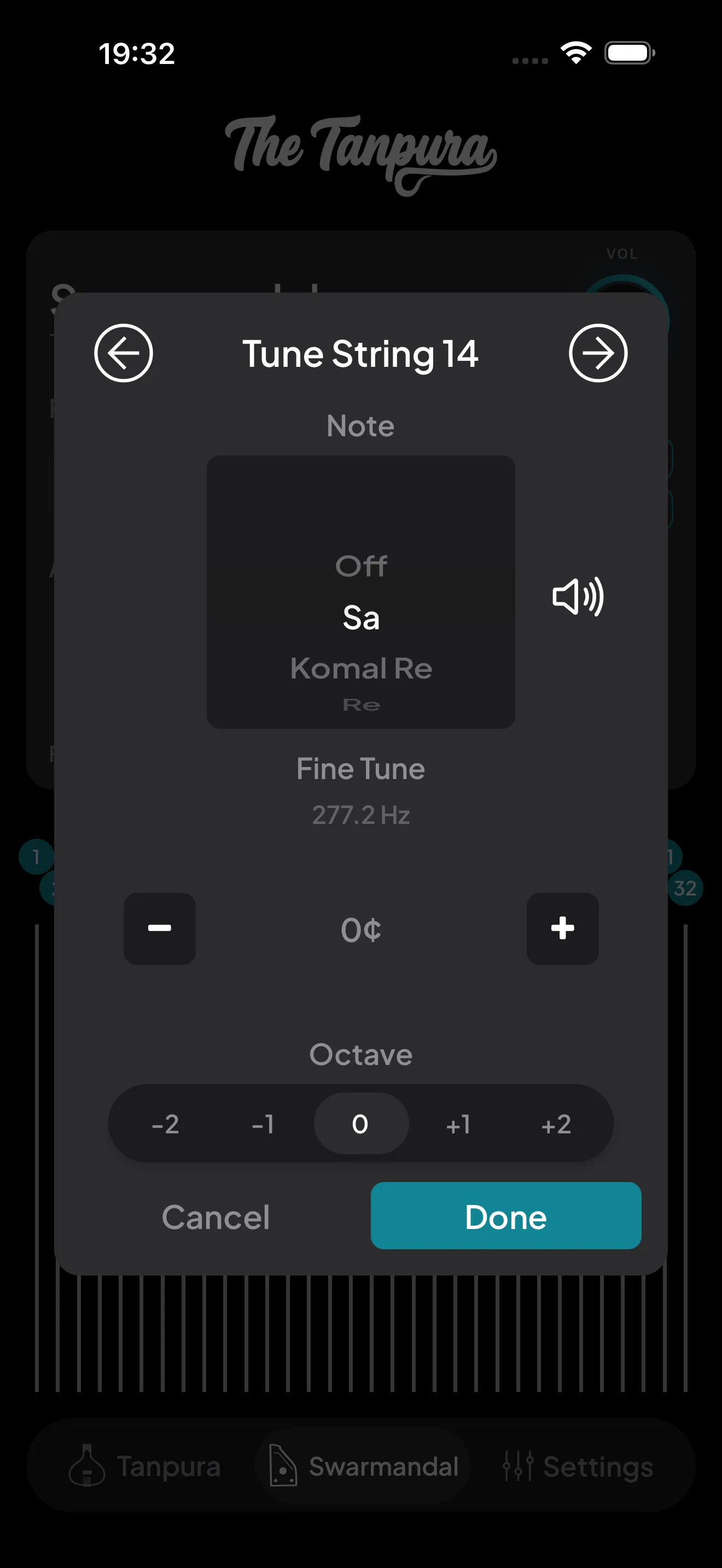
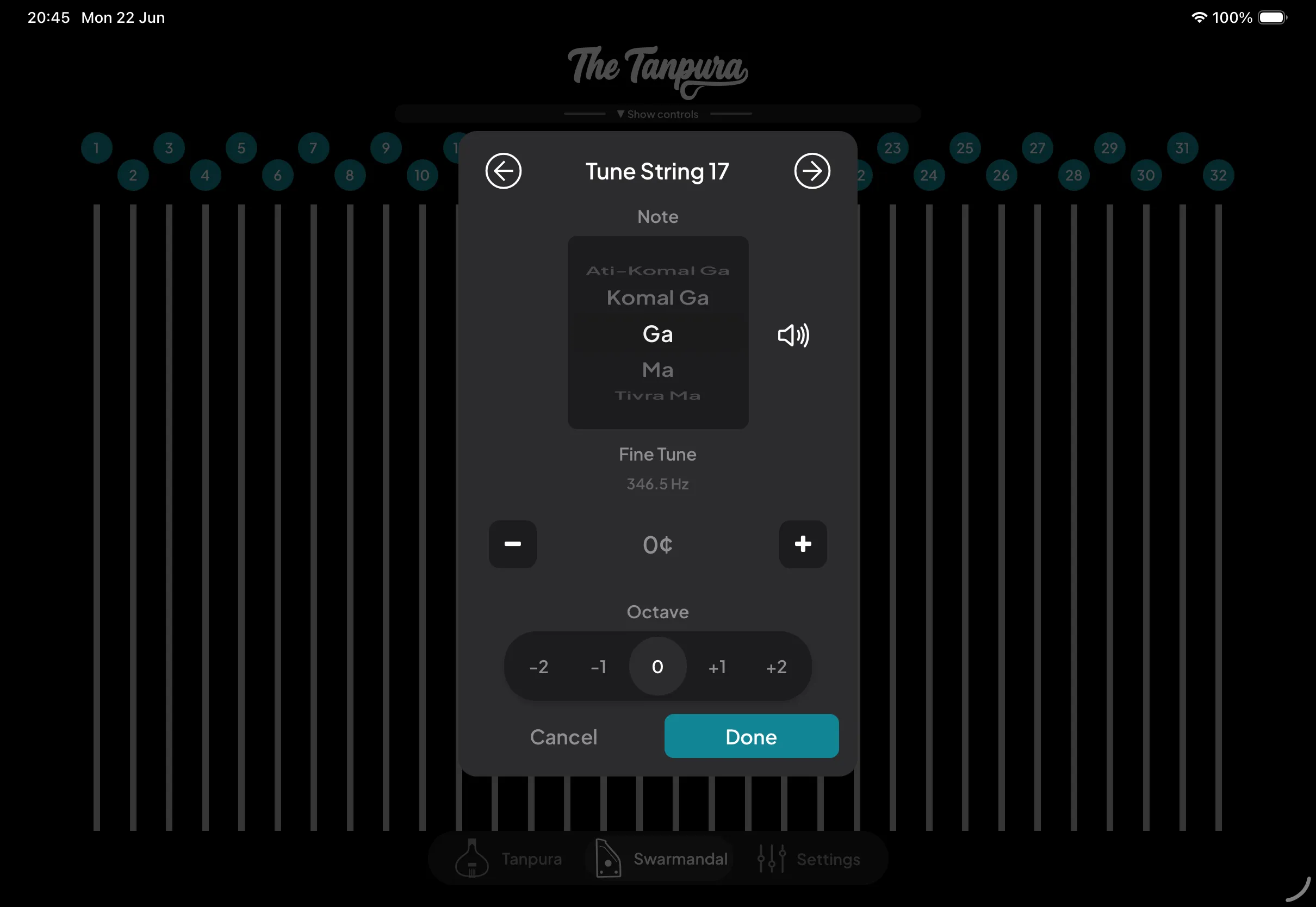
Tap any tuning pin to open the Tune String modal. Pick the note (with komal and tivra variants), nudge it by cents on the Fine Tune slider, and shift it up or down by octave. The arrows step to the next or previous string, and the speaker previews your change before you commit.
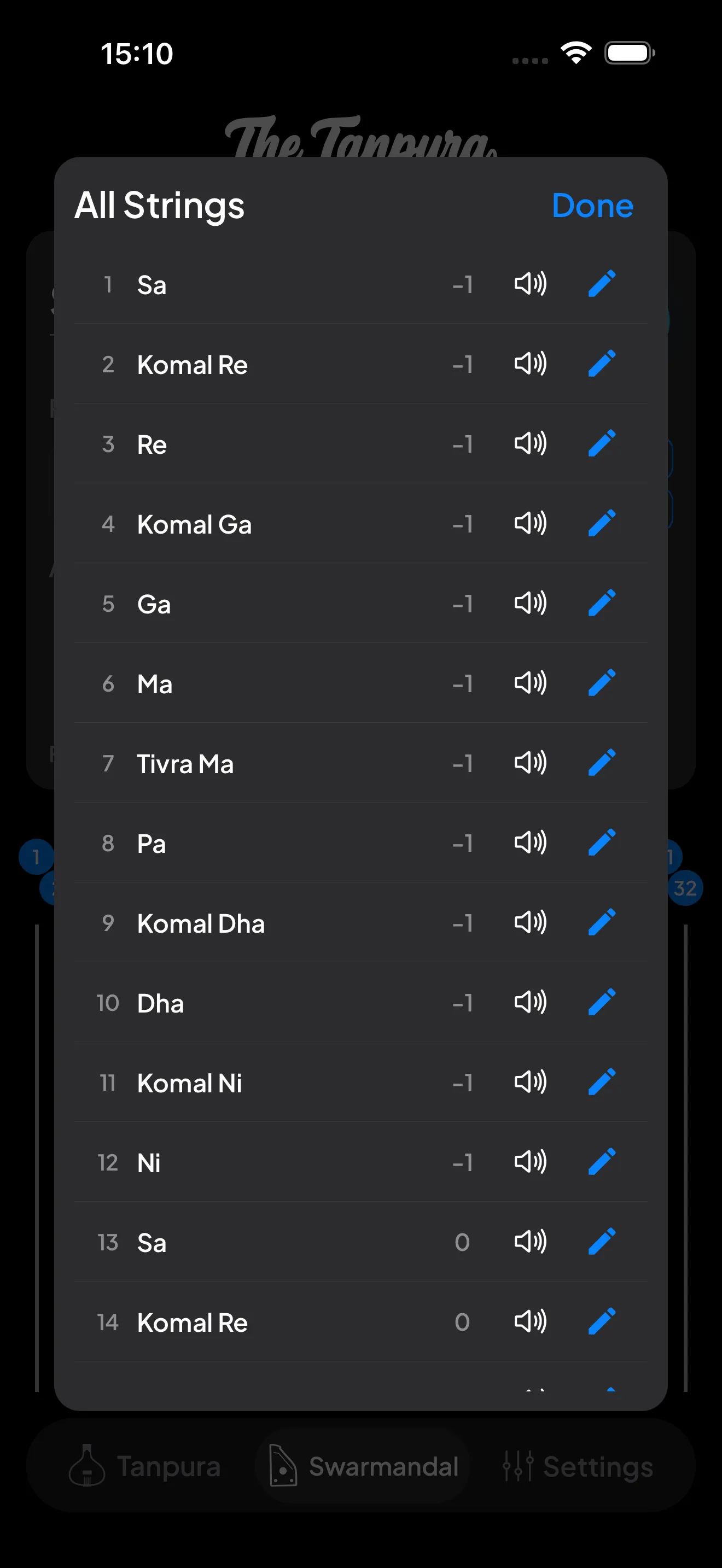
All Strings shows the whole instrument at a glance — every string with its note and octave offset. Preview any string or tap the pencil to jump straight into its Tune String modal.
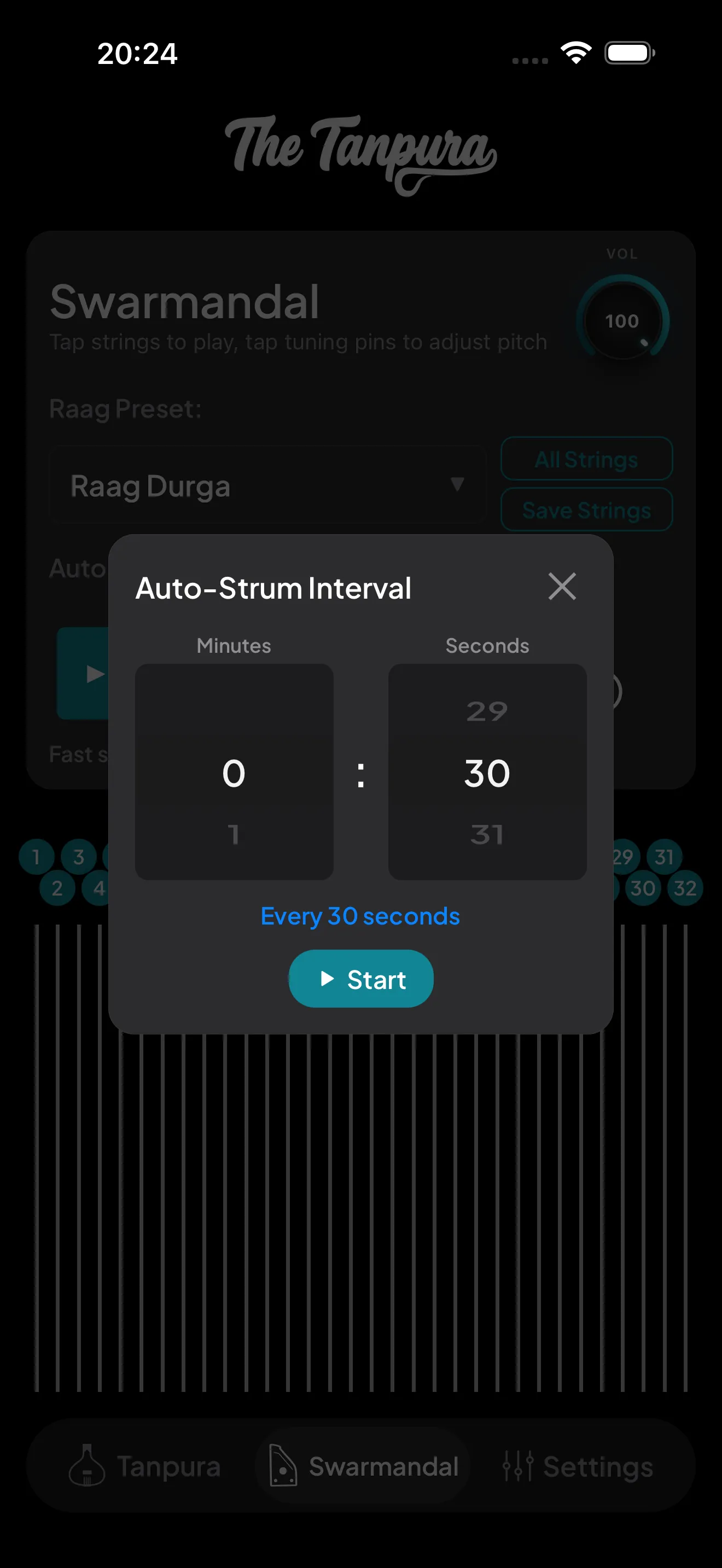
The timer opens the Auto-Strum Interval picker. Dial in a minutes-and-seconds gap, hit Start, and the swarmandal re-strums itself on that cadence — hands-free melodic backing while you practice.
Raag presets
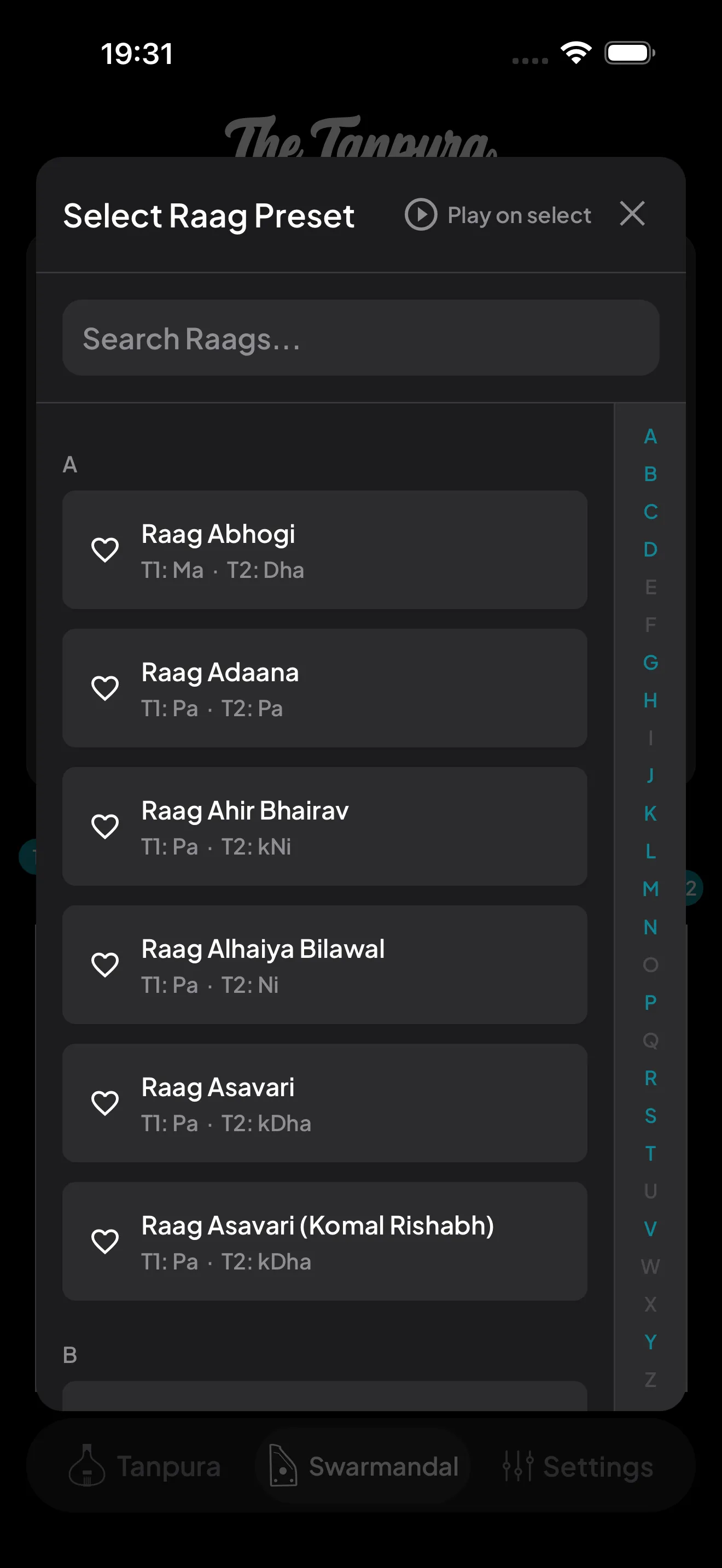
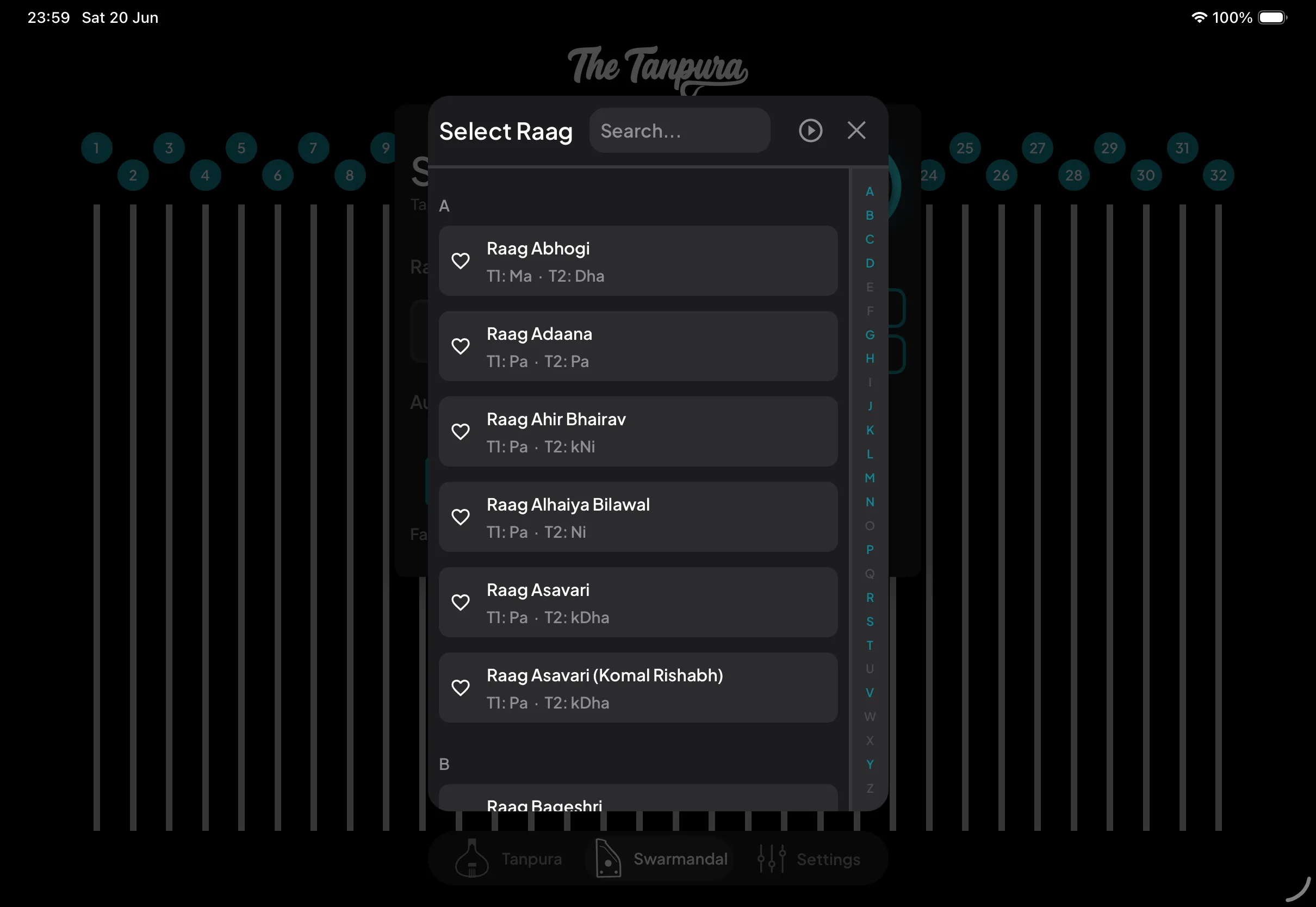
Open the Raag Preset picker to browse 90+ built-in tunings. Tap one and all 32 strings retune instantly to match the raag.
Turn on Play on select (the play icon in the picker's header) and tapping a raag also starts its tanpuras and strums the swarmandal once.
Search by name, or jump around with the A–Z index down the side. Each raag shows its tuning summary (the notes set for Tanpura 1 and 2), and tapping the heart pins your go-to raags to a Favorites section at the top.
Built your own tuning string by string? Save it with Save Strings and it sits right alongside the built-in raags, ready to recall any time.